The report for your ISP
The report puts everything that happened in a period into one file: what failed, for how long, where, and with what evidence. Get it from Reports in the dashboard, as HTML or PDF, for any period.
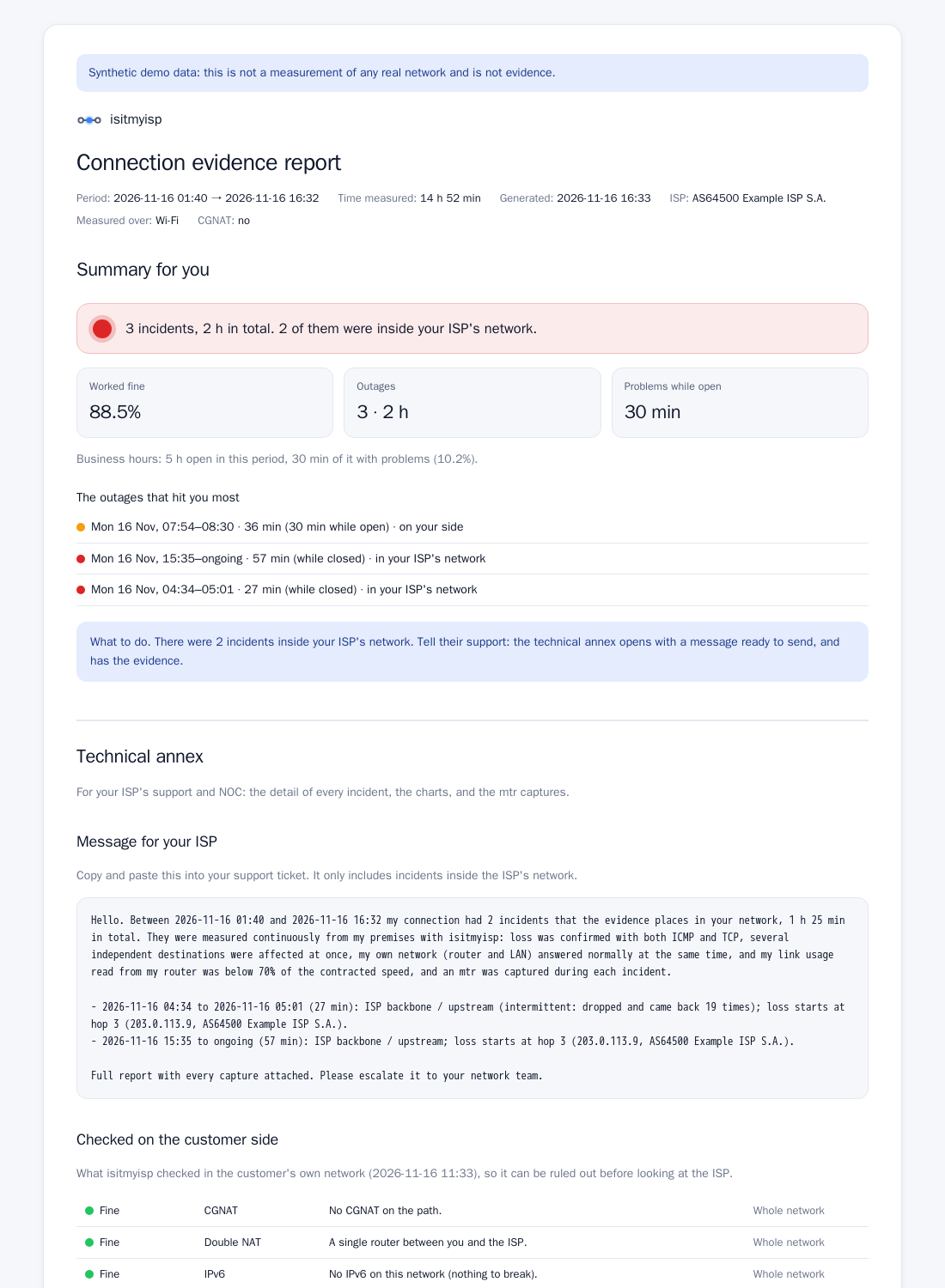
What's in it
For you:
- A plain-language summary: "3 incidents, 1 h 6 min in total; 2 were inside your ISP's network".
- A timeline and where each problem was: your network, the ISP or others.
- Time on the backup link, call quality and measured speed against your plan. With iperf3 servers on each side, the Inside and outside the ISP section says where the bottleneck was.
For the ISP's support and NOC:
- A ready-to-paste message with only the incidents inside their network, so you don't send them your Wi-Fi problems.
- For each one, the hop and the autonomous system (AS) where loss starts, which is how they locate a fault.
- Every
mtrcapture taken during the incident. - The methodology: what was measured, how, and what was ruled out.
- If you used it, the check from your devices: "Tested from 3 devices", with what each one found.
What it proves and what it doesn't
The report doesn't exaggerate, and that's what makes it hard to ignore:
- It proves there was loss or abnormal latency, when, for how long and in which segment of the path it started, with ICMP and TCP agreeing.
- It rules out your LAN when the router was answering fine; ICMP noise, because only loss that reaches the destination counts; a single site being down, because it measures several destinations; a loop or broadcast storm on your network, when there were no duplicate replies and broadcast was normal; and, if you connected the router over SNMP, a link full of your own traffic.
- It doesn't prove what it didn't measure. Without router data, it says it can't rule out a saturated link.
Using it in a claim
- Get the report for the period of the problem (the last 7 days, or since the date it started).
- When you call or write to support, paste the NOC message and attach the PDF.
- If they ask you to "restart the modem", the report shows your LAN was fine while theirs was failing.
- Keep the ticket number. If the problem continues, the next period's report shows it wasn't fixed.
The report is your technical evidence, not a legal opinion. If you take the claim to a consumer-protection body, it backs up what you experienced.
From the terminal
docker exec isitmyisp isitmyisp report --since 7d -o /data/report.html
docker exec isitmyisp isitmyisp report --since 2026-11-01 --until 2026-11-08 --pdf -o /data/report.pdf
Reports built from demo data say so on every page.